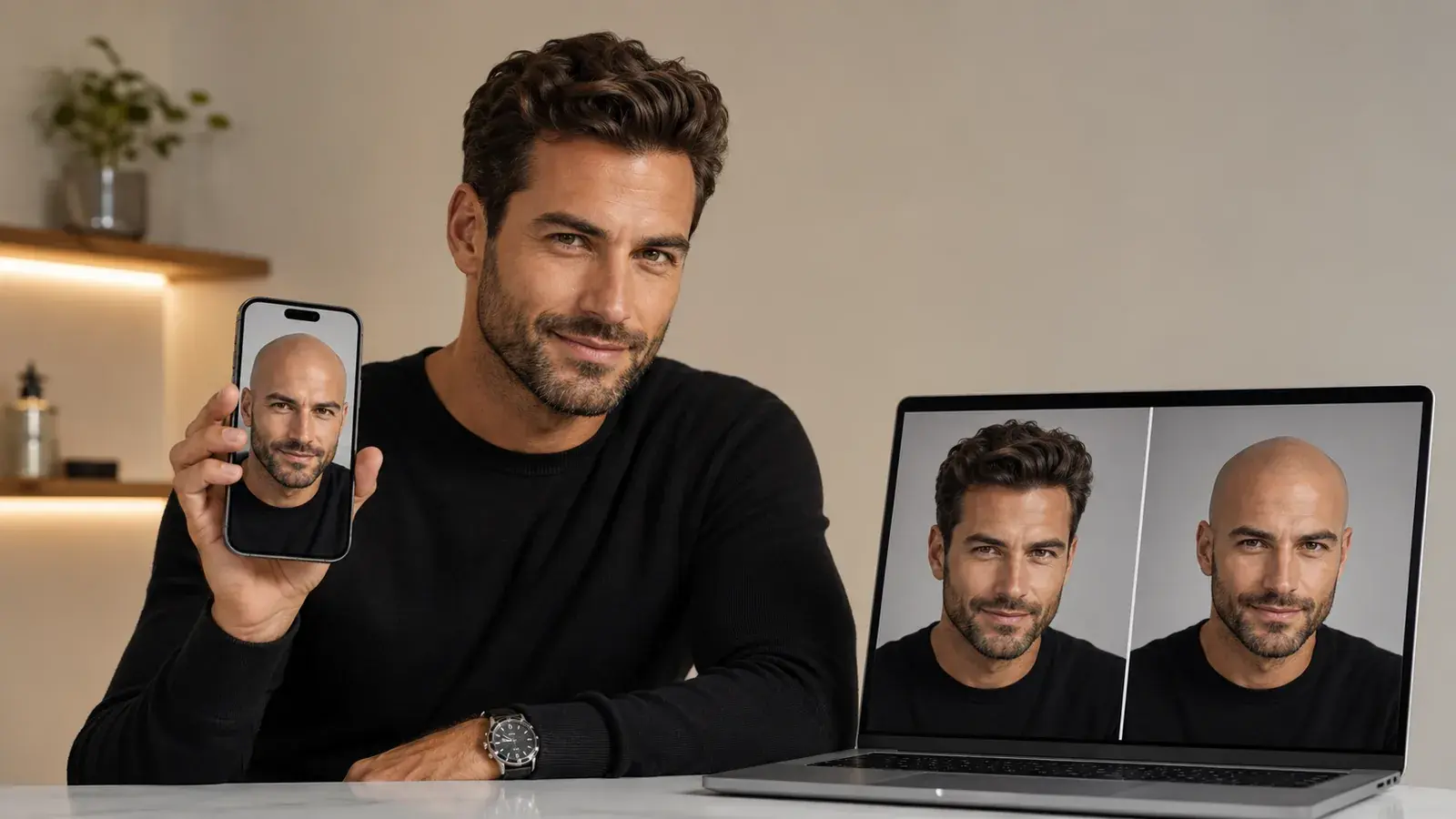
A bald filter answers one narrow question: what does this head look like without hair on it. That is a question about appearance, nothing else. None of these tools predicts what a hairline will do next, or has anything useful to say about why it sits where it does. Read every render below as a picture, not a prediction.
The interesting difference between them is what happens at the hairline itself. A full shave is easy to fake; a temple that has moved back is where the models either draw your actual line or quietly replace it with a straighter, tidier one. That is the axis this list is ranked on.
What the ranking is based on
The order comes from two things anyone can check: what each vendor documents on its own tool page — formats, size caps, output resolution, credits, what the tool claims to detect — and how much control it gives you over how much hair comes off. Nothing was verified by shaving a head; no panel graded the output. A tool that documents a receding or thinning setting is treated as better equipped for the question in the headline. Where a vendor says nothing about a specification, that silence counts against it.
The scorecard
| # | Tool | Shave stages offered | Documented inputs | What it costs to start |
|---|---|---|---|---|
| 1 | Overchat AI Bald Filter | One, full shave | Standard image files plus iPhone HEIC; result in about 30 seconds | Free, no account per the page |
| 2 | MyShell bald filter | Three: receding/thinning, buzz, smooth | JPG, PNG, WebP up to 10 MB; 1024×1024 output | Free, no sign-up |
| 3 | PixelBin AI bald filter | One, full shave | JPEG, JPG, PNG, WEBP under 10 MB; 2X/4X/8X upscale | 3 free credits |
| 4 | insMind bald filter | One, a Bald preset | Front-facing portrait with hairline and ears visible | Free to start; export terms vary by plan |
| 5 | Kaze AI bald filter | Prompt-driven | JPEG, JPG, PNG, WebP | Free, no account, no card |
| 6 | LightX AI bald filter | Filter presets or a custom prompt | JPEG or PNG download | Free tier; paid plans exist |
| 7 | YouCam Online Editor | 200+ hairstyles, bald among them | Upload or drag and drop | Registration; 5 credits, 2 per style |
The seven, ranked
1. Overchat AI Bald Filter
Upload, press the button, wait about half a minute, download in HD. The Overchat AI Bald Filter page is unusually specific about what stays put: your face, outfit, background, beard and glasses all carry through, and the tool is described as regenerating only the relevant parts, replacing hair with realistic-looking scalp. It also names its editing model — Nano Banana 2 — which almost nobody else on this list does. iPhone HEIC files upload without conversion. You can browse, drag and drop, or take a selfie in the page.
The vendor is not a hair-filter specialist. Overchat AI is an all-in-one app with 150+ purpose-built tools spanning image, video, audio and text, served by GPT, Claude, Gemini, Grok, Kimi and Qwen models, used by 350,000+ people on web, iOS and Android. Pro is priced at $14.99 for a single month and $59.99 for twelve; ChatGPT Plus, Claude Pro and Google AI Pro side by side cost roughly $59.99 every month.
Weakness: one shave stage. There is no slider between stubble and smooth, so if you want to see a partial stage rather than a clean scalp, this is not the tool. Verdict: the most documented free option, best when the question is simply “shaved or not”.
2. MyShell bald filter
The only tool here that documents more than one stage: a receding or thinning option, a buzz at roughly 3 mm of stubble, and a fully smooth shave. Upload a front-facing photo as JPG, PNG or WebP up to 10 MB, pick the level, and the result comes back at 1024×1024 in under a minute. No sign-up, no watermark. Its own description says it auto-detects gender and age to adjust scalp shading.
Weakness: 1024×1024 is a hard ceiling. Anything you intend to print or crop is going to look soft. Verdict: the pick if the receding stage, rather than the shave, is the thing you want to look at.
3. PixelBin AI bald filter
Upload a file or paste a URL — JPEG, JPG, PNG or WEBP under 10 MB — and the tool detects the face, applies the effect, and returns an HD file with no marks or overlays. PixelBin also stacks an upscaler behind it at 2X, 4X or 8X, and publishes an API, which makes it the one here you could build into something.
Weakness: three free credits, and its own page warns that very sharp side profiles may not give an accurate result. Verdict: best output pipeline, shortest free run.
4. insMind bald filter
The instructions are the most honest set on this list. insMind asks for a front-facing portrait with the face, hairline and ears all visible, then a Bald preset, then a specific instruction to zoom in and inspect the hairline, forehead, ears and scalp edges before you accept the result. The page says outright that what you get is a creative preview and not a hair-loss forecast.
Weakness: export quality, watermark behavior and usage limits are all described as varying by plan, without the free tier’s terms being spelled out. Verdict: the best coaching, the least clarity about what free actually gets you.
5. Kaze AI bald filter
Prompt-driven rather than preset-driven. Upload a JPEG, JPG, PNG or WebP, describe the look you want, and the tool detects hair, hairline and facial structure before rendering scalp texture and blending skin tone. No account, no card, no watermark, and it accepts wider lifestyle shots rather than insisting on a portrait crop.
Weakness: no file size cap is published, so a large upload can fail with nothing to diagnose. Prompt output also drifts between runs. Verdict: the most flexible free option, the least predictable.
6. LightX AI bald filter
Upload, choose a filter or write your own prompt, generate, then download as JPEG or PNG. It sits here rather than higher because of reach: LightX ships iOS and Android apps alongside the browser tool, so the same edit is available on the phone that took the photo.
Weakness: the tool page documents almost nothing concrete — no size cap, no credit count, no watermark policy — so you find the limits by hitting them. Verdict: convenient on mobile, thin on published specifics.
7. YouCam Online Editor
Perfect Corp’s hairstyle generator is a wardrobe, not a single filter: a library well past 200 looks, filtered by fringe, volume and added length, plus a before/after view and a color try-on. Bald is one option inside that catalog rather than the point of the tool.
Weakness: it wants a registration, and the free allowance is 5 credits against 2 credits per generated style — two previews before you decide. Verdict: worth it if you are auditioning many looks, overkill for one.
What none of the seven can tell you
Every tool on this list rewrites the pixels above the forehead using a general idea of what scalps look like. Where your photo shows the hairline clearly, the render follows it. Where the photo does not — under a fringe, in shadow, at an angle — the model fills the gap with something plausible, and plausible is not the same as yours.
The practical consequence is specific. Shoot with your hair pushed back and the light flat on your forehead, and every tool here gets a better hairline to work from. Shoot under a hat or a fringe and all seven will invent one.
If you want one recommendation rather than seven: start with a free, no-account tool, shoot the photo properly, and pay only once you know which stage of the question you are asking.
